Skip to content

For teams

A serious space for things you do together

Homework, events, apps, moving house. Pick your method, turn your idea into a plan with guided tools, split work into weeks and see who finished what.

The board shows what's waiting on what.

You choose the method

When you start a project, answer "What is this project?" and "How clear is it?", then compare Planned, Kanban, Scrum, Hybrid and Discovery and pick one. Your choice and your reason stay under "Method and decisions".

  • Five methods side by side
  • "Apply my standards" for the setup you always use
  • Pick a template's weeks and tasks one by one
You pick the method; your reason is kept.

From idea to plan, question by question

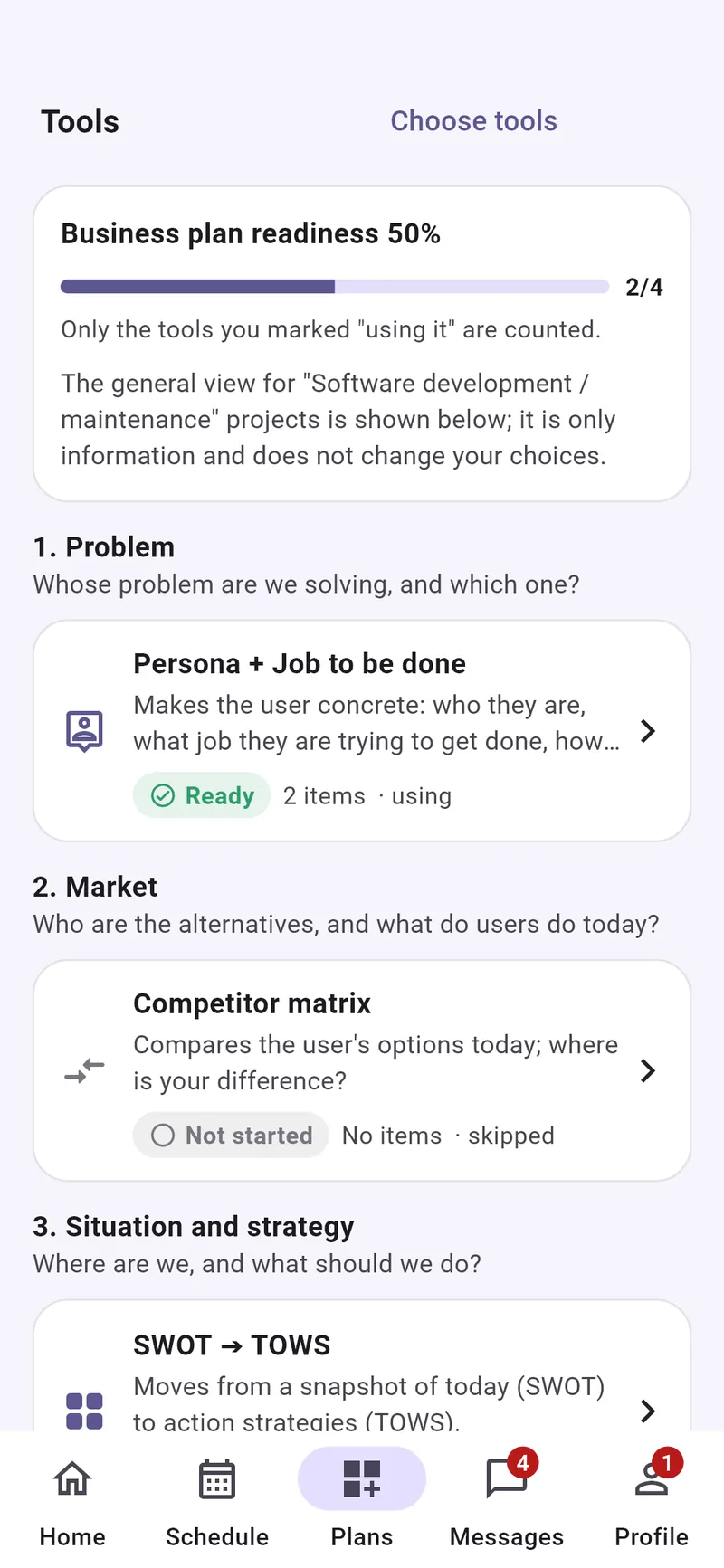
Strategy → Tools: the 12 stages of a business plan and nine guided tools. None is mandatory; you decide which to use, and the app explains what each one is for.

  • Persona, competitor matrix, SWOT → TOWS, risk, Lean Canvas, OKR, user stories, MVP, technology questions
  • "I don't know" becomes an assumption to check
  • Stories become tasks, the MVP goes onto the roadmap
You decide which tools to use.
From SWOT to strategy, question by question.

Finished work comes to you

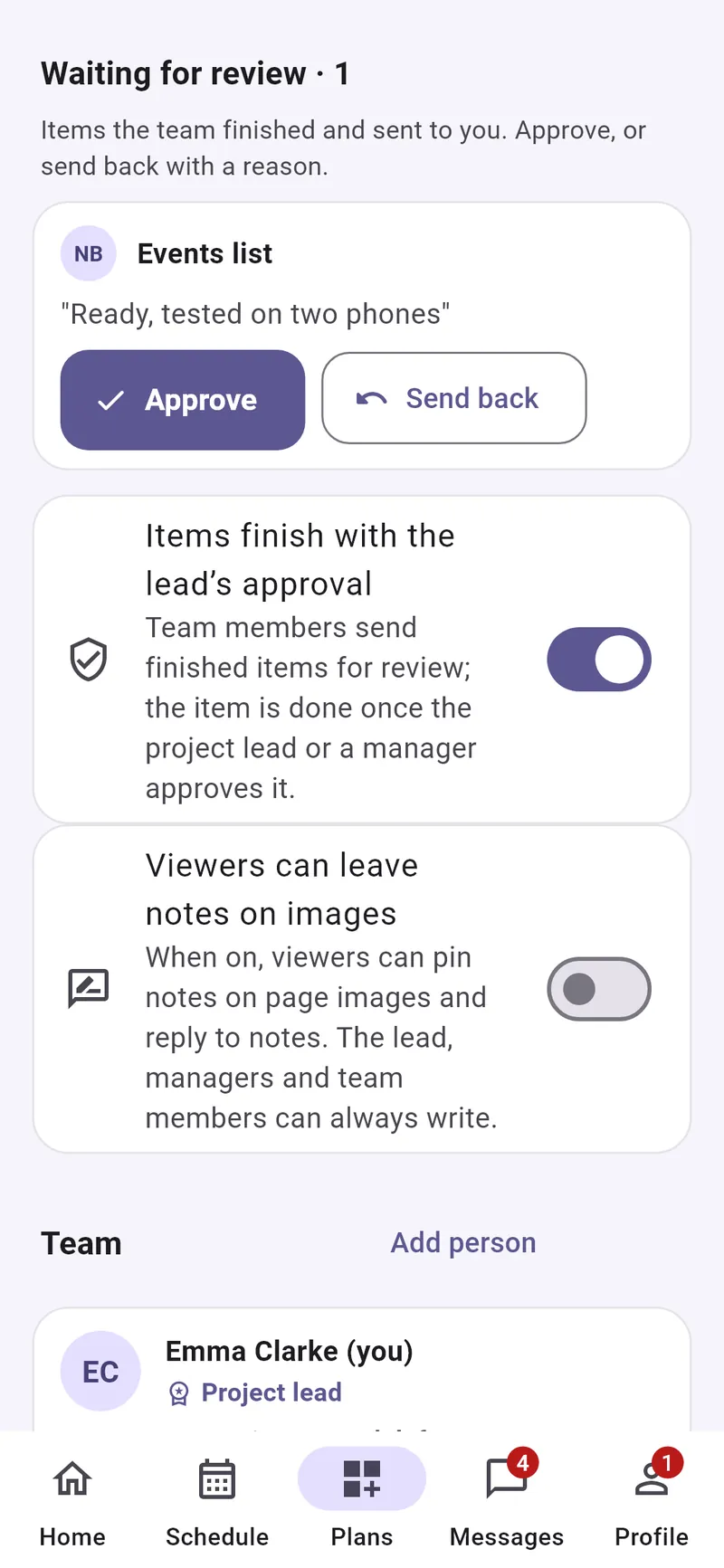
When a member finishes a task they send it for review; the lead approves it or sends it back with a note.

  • Lead · Manager · Member · Viewer
  • Assigned to me
  • Workload per person
Finished work comes to you for approval.

Timeline and critical path

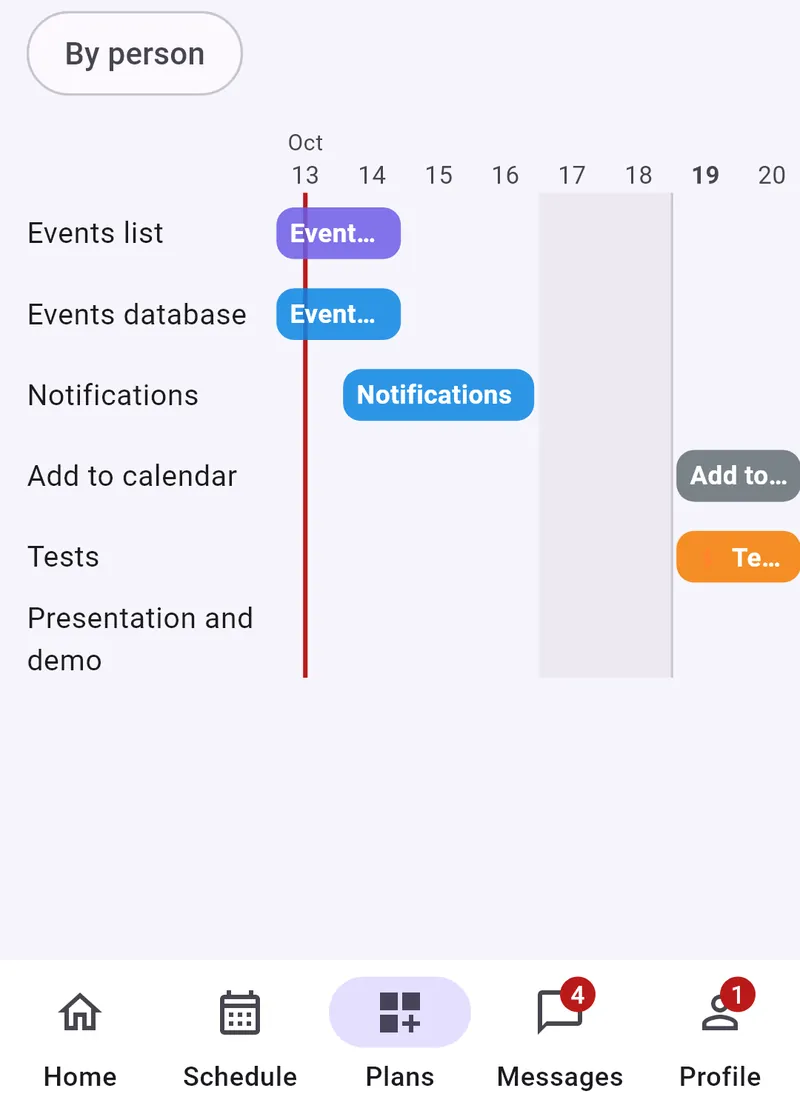
If one task slips, the app works out what moves with it; you see the work laid out across weeks and days.

  • List, Kanban board and Gantt timeline
  • Task dependencies and delay warnings
  • Weekend and working-hours settings
Critical path and timeline, built in.

Hand your plan to an AI

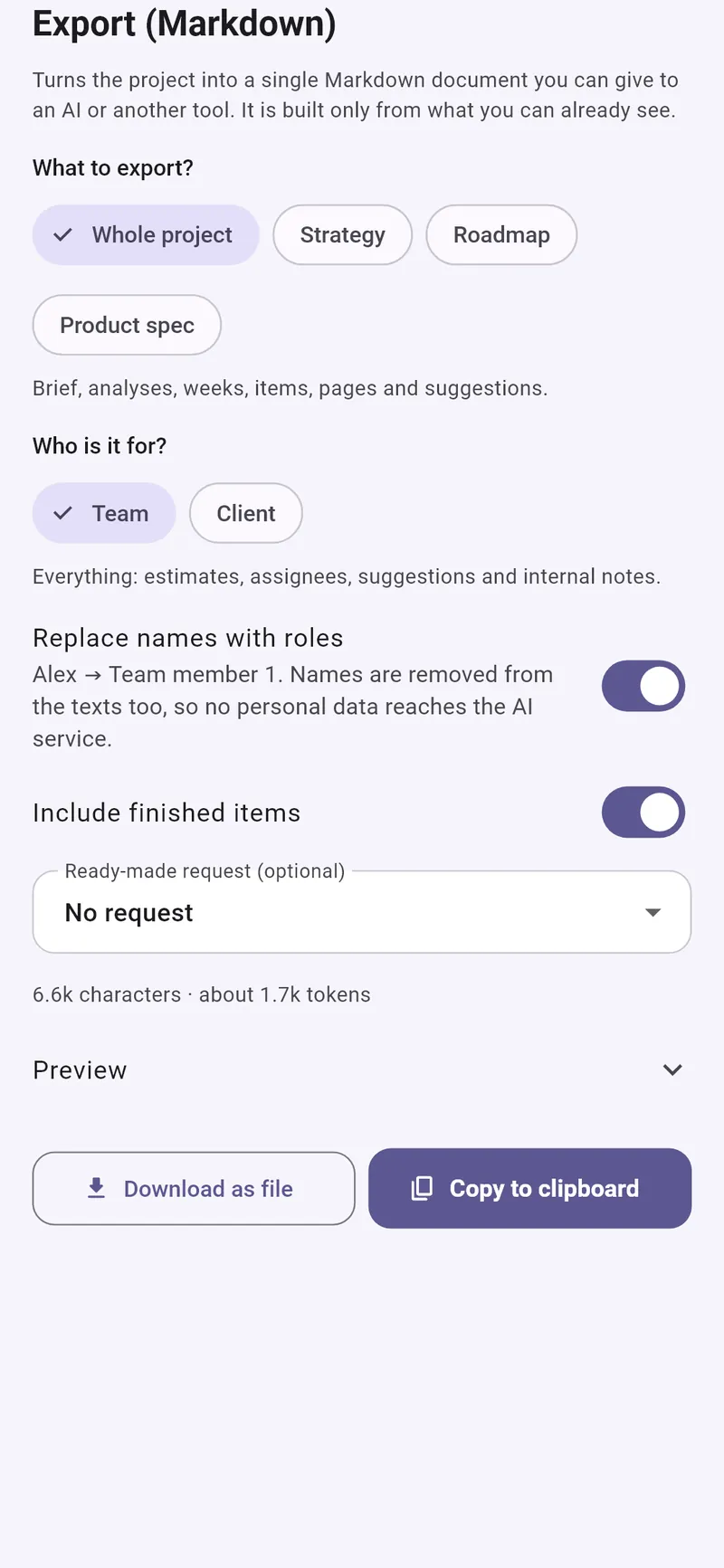
Turn the project into a single Markdown document: the whole project, the strategy, the roadmap or the product definition. Names can be swapped for roles, and gaps and open questions are listed.

  • For your team or your client
  • Copy to clipboard or download a .md file
  • Built only from what you can see
Hand your plan to an AI in a single file.
  • Roadmap

    Week-by-week plan, MoSCoW priority, acceptance criteria and estimates.

  • Task numbers and history

    Every task gets a number (CAFE-12); see who changed what and when, and bring a deleted task back within 30 days.

  • Page plans and designs

    For web and mobile: page-by-page plans, designs, notes pinned on the image.

  • Templates

    Start from 8 ready-made templates or one shared by your friends.

Everything in this area

  • Guided start: "What is this project?", "How clear is it?"; compare Planned, Kanban, Scrum, Hybrid and Discovery and choose yourself; your reason is kept under "Method and decisions" New
  • Personal work standards: "Apply my standards"; pick a template's weeks and tasks one by one and read why each is there New
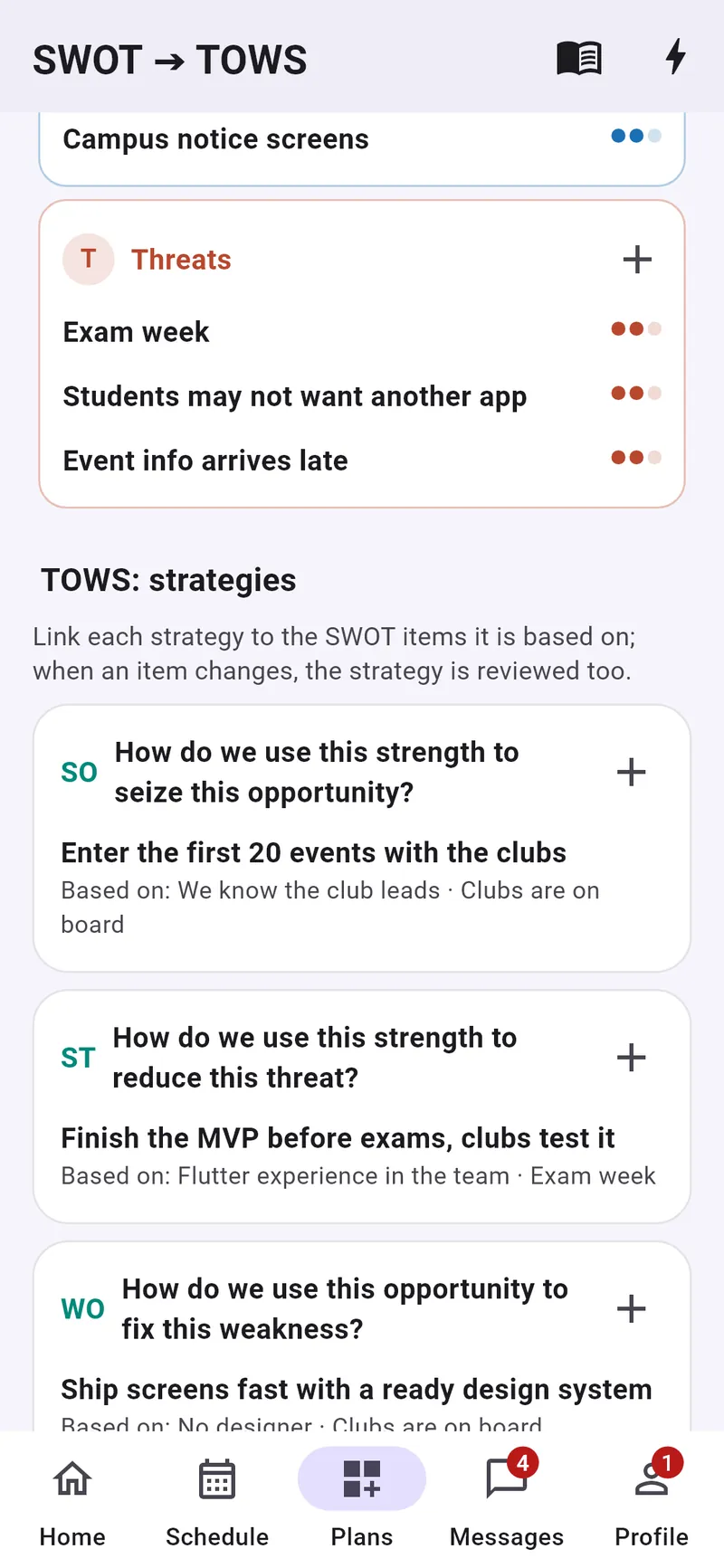
  • Strategy: project brief and "Tools": the 12 stages of a business plan and a readiness score from the tools you chose New
  • Nine guided tools: Persona, competitor matrix, SWOT → TOWS, risk matrix, Lean Canvas, goals (OKR), user stories, MVP scope, technology questions New
  • Every tool goes question by question with examples; "I don't know" is fine and is saved as an assumption to check. "How to prepare" guides, saved versions; "Still useful?" for a tool untouched for 30 days; stories become tasks, the MVP goes onto the roadmap New
  • Markdown export for AI: type, audience (team / client), names replaced by roles, open questions; copy to clipboard or download a .md file New
  • Task numbers (CAFE-12) and task history: who changed what, and when New
  • 30-day trash for tasks: a deleted task comes back with its subtasks New
  • Project types: software, web, mobile, business, event, research, general
  • Roles: Project lead, Manager, Member, Viewer
  • Assign work, "Send for review", approve or send back with a note, item history
  • "Assigned to me": one list across all projects
  • List, Kanban board (drag and drop, WIP limits) and Gantt timeline
  • Dependencies, critical path, delay warnings; weekend and working-hours settings
  • Team tab: workload per person, items waiting for review, handing over the lead
  • Roadmap: phase → epic → feature → task; MoSCoW priority, acceptance criteria, estimates
  • Template library: 8 ready-made templates plus ones shared by your people
  • Page-by-page plans for web and mobile, designs, version history, notes pinned on images
  • Change suggestions (word-by-word diff) and approval flow
  • End-of-week summary notification
  • Start a project for your partner, follow your partner's projects
  • Revenue, cost and cash plan, rate calculator, "How do I get my app built?" guide Coming soon
  • Email invites and workspaces for freelancers, small teams, companies and communities Coming soon
  • Client space: sharing, requests, approvals and delivery sign-off Coming soon
  • Time tracking, client-approved time summaries, payment milestones Coming soon
  • Separate write-ups for client, business and engineering; "Is this still right?" checks Coming soon
  • Your own workflow, sprints, backlog, retrospectives; multiple assignees and attachments Coming soon

Planned, subject to change.

Good to know

All questions
Can it replace project management tools?

For things you do with friends, at school or with a small team, yes: roles, approvals, a board, Gantt, critical path, task numbers, guided planning tools and export for AI are ready. It isn't built for big company processes. We describe what's planned for more professional use on the roadmap.

What's next, will projects grow?

Yes. A guided project start, nine planning tools (like SWOT → TOWS, Lean Canvas and MVP scope) and downloading your plan as a file you can give to an AI are now in the app. Next up are an income and expense plan and a "how do I get my app built?" guide; then the web and Windows apps, then a workspace for your clients and team. All planned, may change; we don't give dates. The income plan won't replace financial advice; it will remind you what to think about.

Can I use it with my clients as a freelancer?

Today you can only add your connections to a project, and a viewer sees the whole project, so there's no client-only view yet. A client space is on the roadmap: your client will see only what you share, make requests and sign off deliveries, and your notes to the team won't be visible to them.

NextChatTalk the plan through

"What are we doing this week?" Now in one place.

Your people are already there. Let your plans be too.

  • Everything in it today is free and stays free
  • Turkish and English
  • Android first; web version on the way

Join the list

What would you like to hear about?

We never share your address or send ads.